
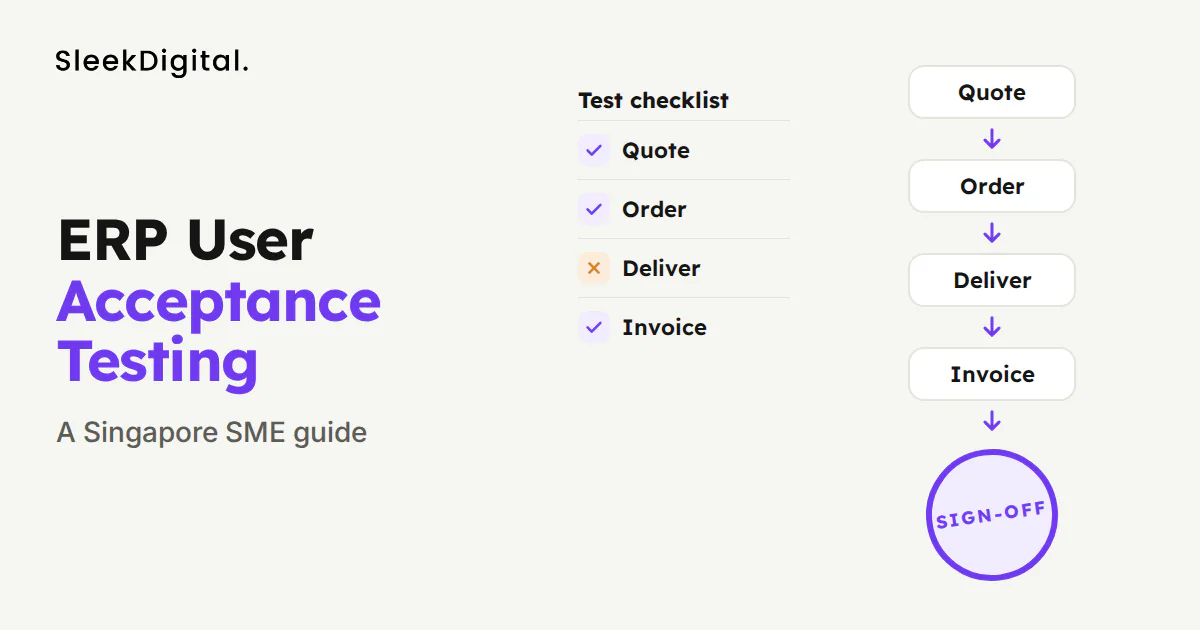
ERP User Acceptance Testing (UAT): A Singapore SME Guide to Test Scenarios, AI Approvals and Sign-Off
The week before an ERP goes live is when most businesses find out whether the system actually fits how they work. Too often that discovery happens on go-live day instead: the warehouse cannot post a partial delivery, a credit note does not reverse GST the way finance expects, or a purchase order above the director's limit goes out without anyone approving it.
User acceptance testing (UAT) is the stage built to catch those problems first. It is where the people who will use the system every day run their real work through it, using realistic data, and decide whether it is ready. Done well, it is the single best predictor of a calm go-live. Done as a quick demo click-through, it gives false comfort.
This guide is for owners, operations heads and finance managers at Singapore SMEs who are about to accept a new ERP, whether packaged software, a custom build or a custom AI ERP with agents that draft quotations, match invoices or propose purchase orders. It covers who should test, how to write scenarios, what data to use, how to test AI steps and human approvals, how to handle defects, and what "sign-off" should actually mean.
SectionWho this guide is for
You will get the most from this if:
- You have chosen a vendor or a build partner and the system is close to ready for testing.
- You will be asked to "sign off UAT" and want to know what you are agreeing to.
- Your new ERP includes approval workflows or AI features, and you need to be sure they behave safely before staff rely on them.
If you are earlier in the journey, start with the ERP implementation checklist and how to write ERP requirements. UAT tests against those requirements, so the better they are, the easier this stage becomes.
SectionWhat UAT is, and what it is not
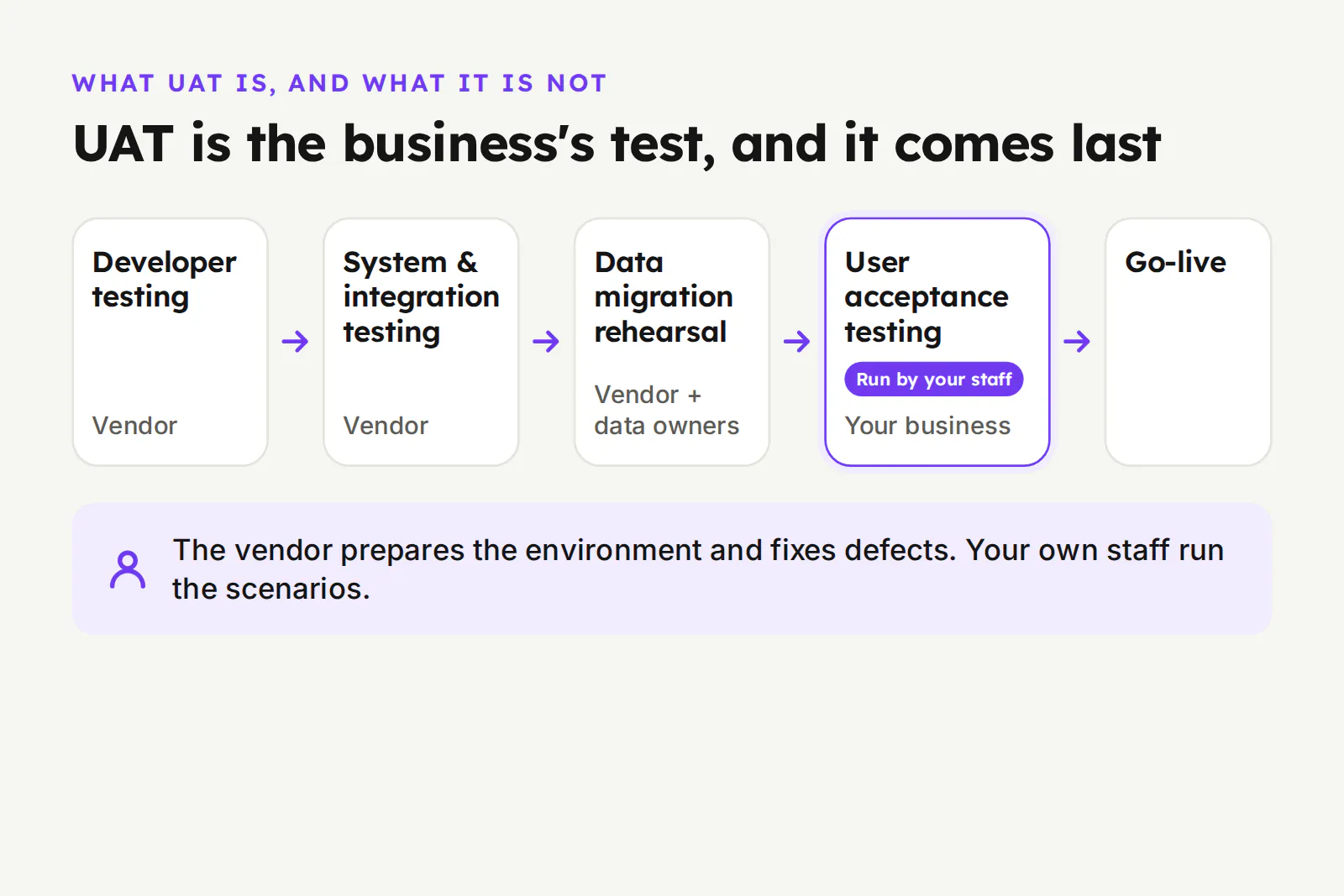
An ERP project usually passes through several kinds of testing. They answer different questions, and UAT only works if the earlier ones have been done.
| Test stage | Who runs it | Question it answers |
|---|---|---|
| Unit and developer testing | Vendor or build team | Does each function work on its own? |
| System and integration testing (SIT) | Vendor or build team, with your IT if you have it | Do the modules and connected systems work together, end to end, with test data? |
| Data migration rehearsal | Vendor and your data owners | Does migrated data load correctly and reconcile? |
| User acceptance testing (UAT) | Your own staff | Can our people run our real processes in this system, with our data, well enough to go live? |
Two points matter here.
UAT is run by your business, not the vendor. The vendor prepares the environment, trains testers and fixes defects. But the people who log in and execute the scenarios should be your sales coordinators, storekeepers, buyers and accounts staff. If the vendor runs UAT and shows you the result, you have a demo, not acceptance.
UAT is not the place to find basic bugs. If testers spend the first day reporting that screens do not load or totals do not add up, the system was not ready for UAT. Ask the vendor to confirm system and integration testing is complete before your team starts, and agree that in writing as an entry condition.
SectionWhen to start planning UAT
Plan UAT while requirements are being written, not when the build is finished. Three things need to be ready long before testing starts:
- Testable requirements. Each requirement should describe something a person can check. "Purchase orders above the set value need director approval" is testable. "Flexible approvals" is not. If your requirements are numbered, you can trace each one to a test scenario and see what is still untested.
- Named testers with time protected. Your best testers are your busiest people. Agree with their managers how many hours a day they will spend on UAT, and back-fill or defer other work where needed. UAT squeezed into lunch breaks finds very little.
- A copy of real data. You need migrated data from a rehearsal load, not a handful of dummy records the vendor typed in. More on this below.
SectionStep 1: Define entry and exit criteria
Write down, before testing starts, what has to be true for UAT to begin and what has to be true for it to end. This avoids two common arguments: testers starting on a half-built system, and a go-live date forcing sign-off on a system that is not ready.
Entry criteria usually include:
- System and integration testing complete, with the vendor's test results shared.
- All in-scope modules, approval rules and integrations deployed to a UAT environment that mirrors production settings.
- Migrated data from the latest rehearsal loaded and reconciled.
- Testers trained on the basics and given logins with their real roles and permissions.
- Scenarios written, reviewed and assigned.
Exit criteria usually include:
- Every scenario executed at least once, and the critical ones passed in a final regression round.
- No open defects at the top two severity levels (see Step 6).
- Lower-severity defects either fixed or accepted with a written workaround and a fix date.
- Process owners have signed off their area.
Agree these with the vendor in advance. If your contract links a payment milestone to UAT sign-off, the exit criteria should be referenced in it.
SectionStep 2: Build scenarios around end-to-end processes
The most useful UAT scenarios follow a piece of work from start to finish across departments, the way it happens in real life. Testing screens one at a time ("can I create a customer?") misses the problems that appear at hand-offs, which is where most ERP issues live.
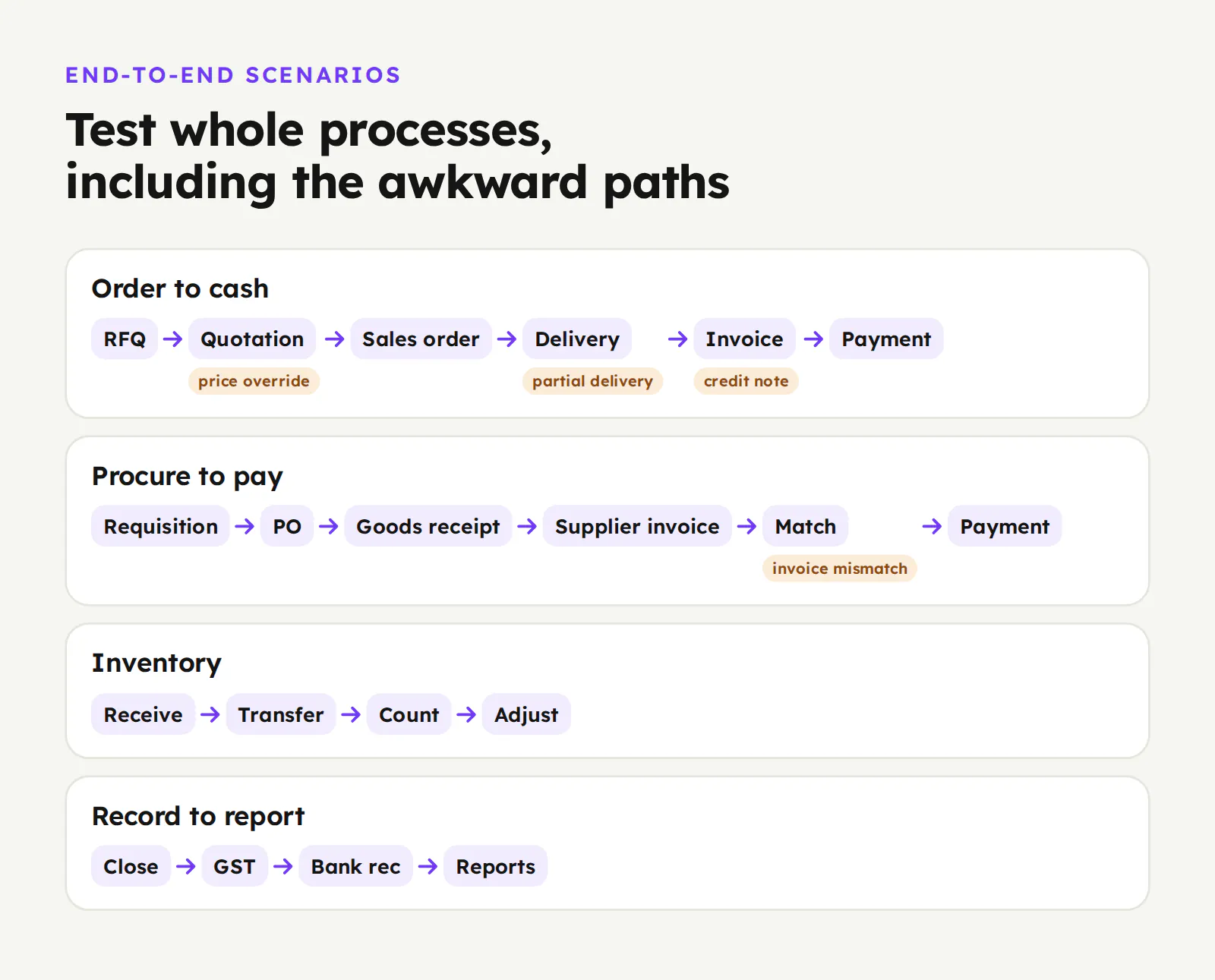
For a typical Singapore trading, distribution or light manufacturing SME, the core end-to-end flows are:
- Order to cash: customer enquiry or RFQ, quotation, sales order, picking and delivery, invoice, payment received, statement.
- Procure to pay: purchase requisition, purchase order, goods receipt, supplier invoice, matching, payment.
- Inventory: receiving, transfers between locations, stock counts, adjustments, batch or serial tracking if you use it.
- Record to report: month-end close, GST reporting, bank reconciliation, management reports.
- Make or assemble (if relevant): bill of materials, work orders, material issue, finished goods receipt, costing.
Each scenario should include the normal path and the awkward paths your staff deal with every week. Those awkward paths are where the value is.
Writing a good scenario
A scenario does not need to be long, but it needs enough detail that a different tester would run it the same way and know whether it passed. A simple template:
| Field | Example |
|---|---|
| Scenario ID and requirement link | P2P-07, linked to PUR-12 and PUR-15 |
| Process and owner | Procure to pay, purchasing head |
| Starting condition | Supplier exists with USD currency; item has stock below reorder level |
| Steps | Raise requisition, convert to PO above director limit, approve, receive part of the quantity, post supplier invoice for the full quantity |
| Expected result | PO is held until the director approves; invoice is blocked because it does not match the goods received; exchange rate applied per company policy |
| Actual result, pass/fail, tester, date | Filled in during testing |
Exceptions worth including
These are the scenarios that most often expose gaps. Pick the ones that apply to you:
- Partial deliveries and back orders, including invoicing only what was delivered.
- Returns and credit notes, both from customers and to suppliers, and how they affect stock and GST.
- Price and discount overrides, including below-margin lines that should need approval.
- Foreign currency sales and purchases, if you trade in USD, MYR, RMB or others, and how exchange differences post.
- GST treatment: standard-rated, zero-rated exports and exempt items, plus how credit notes and imports are handled. Your finance team or tax adviser should confirm the expected result for each.
- E-invoicing, if you send or receive invoices through InvoiceNow (Peppol). Test transmission through your access point provider's test setup, not only the ERP screen.
- Negative stock attempts, and whether the system blocks or allows them based on your rules.
- Month-end cut-off: transactions dated on the last day of the month and posted after close.
- Duplicate documents: the same supplier invoice entered twice, or the same customer PO received by email and WhatsApp.
- User permissions: a junior staff member trying to approve their own purchase order or change a price they should not.
SectionStep 3: Use realistic, migrated data
Testing with ten tidy dummy customers proves very little. Your real data has long item descriptions, customers with five delivery addresses, suppliers with old payment terms and price lists with odd units of measure. Those are what break things.
The best source of UAT data is the latest data migration rehearsal. Testing on migrated data does two jobs at once: it tests the system, and it tests the migration. Testers who know the business will spot a wrong opening balance or a missing price break far faster than a reconciliation script.
A few practical rules:
- Include last month's real transactions as test cases. Re-enter a sample of actual quotations, orders and invoices and compare the result with what your old system produced. Differences are either defects or deliberate changes; both need to be understood.
- Mask personal data where you can. Under the PDPA you should limit who sees personal data and use it only for the purpose it was collected for. For UAT, consider masking individual customers' names, NRIC numbers and contact details, or restricting the UAT environment to staff who would see that data anyway.
- Keep supplier and customer emails switched off. Make sure the UAT environment cannot send real emails, e-invoices or WhatsApp messages to outside parties. Test notifications to internal addresses only.
SectionStep 4: Test approvals and controls on purpose
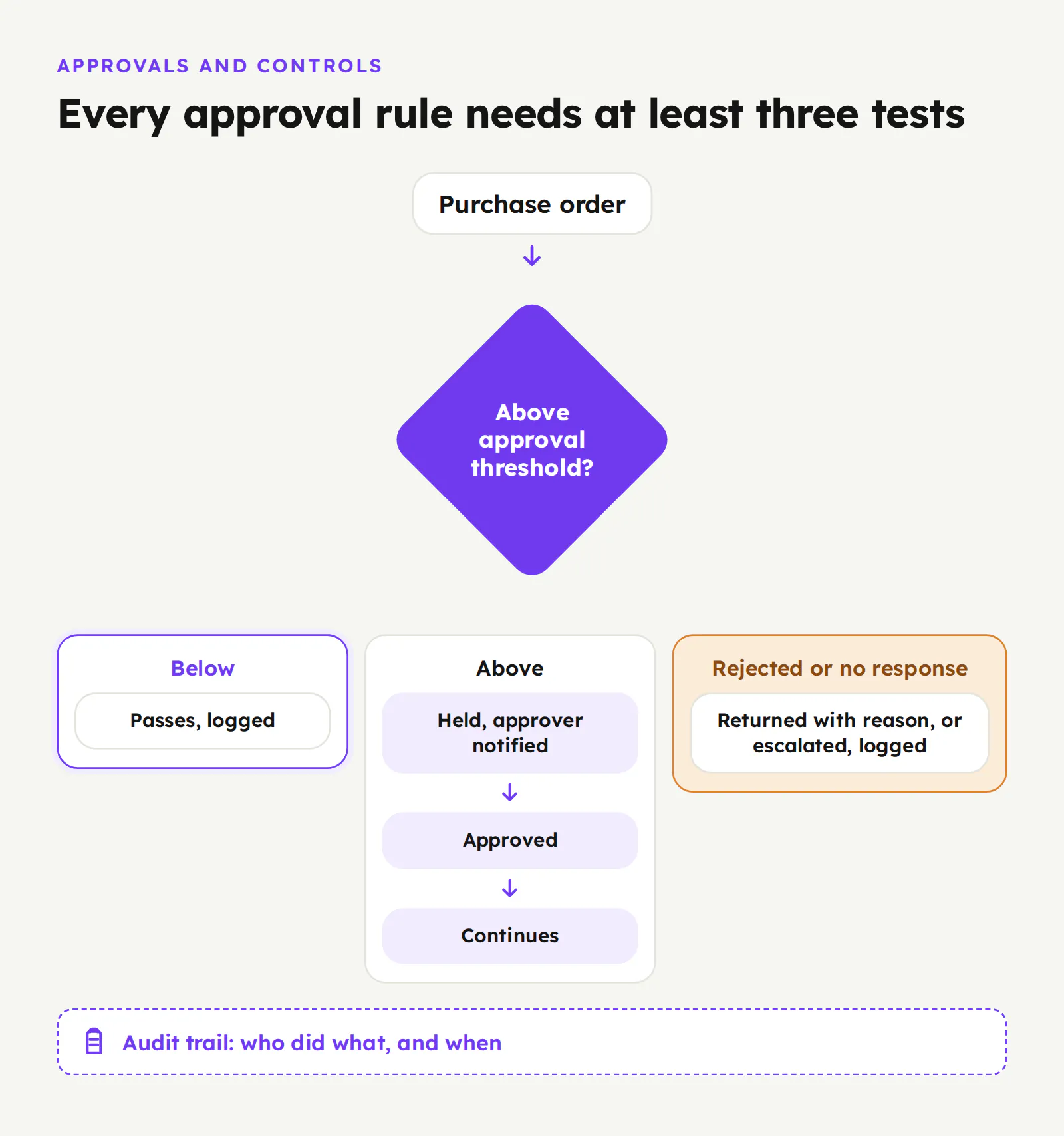
Approval rules are among the most important things an ERP enforces, and among the easiest to get subtly wrong. If your requirements include an approval matrix, turn every row into at least three tests:
- Below the threshold: the document goes through without approval.
- Above the threshold: the document is held, the right person is notified, and nothing downstream happens until they approve.
- Rejected or ignored: the document is returned with a reason, or escalates after the agreed time, and the rejection is logged.
Then test the edges people try in real life: splitting one large purchase into two smaller ones, editing a document after it was approved, approving from a phone, and what happens when the approver is on leave. Each of these should behave exactly as your policy says. If the policy is unclear, UAT is a good moment to decide it.
Check the audit trail as you go. For each approval test, confirm the system recorded who did what and when, in a form your auditor could follow.
SectionStep 5: Test AI steps the way you would test a new staff member
If your ERP includes AI agents, for example drafting quotations from customer RFQs, matching supplier invoices to purchase orders and goods receipts, or suggesting reorder quantities, UAT needs an extra layer. AI output can vary from one run to the next, so a single passing test proves little.
The detailed method for evaluating an agent is covered in our guide on how to test an AI agent before it goes live. For ERP UAT, focus on how the agent behaves inside your process:
- Run each AI scenario on many real cases, not one. Use a batch of past RFQs or supplier invoices, including messy ones: scanned PDFs, missing PO numbers, unfamiliar item names.
- Check the human step is always there. Every AI draft that leads to a commitment (a quotation sent, a PO issued, an invoice approved for payment) should stop for a person to review. Try to get past it. If you can, it is a defect at the highest severity. Our guide to human-in-the-loop approvals explains how these checkpoints are usually designed.
- Check what the reviewer sees. The approver should be able to see what the agent read, what it proposed and why, so they can approve quickly or correct it. If reviewers have to re-do the work from scratch to check it, the AI step is not saving time.
- Test the "I'm not sure" path. When the agent cannot match an item or a document is unclear, it should flag the case for a person rather than guess. Feed it cases you know it should not be confident about.
- Record corrections. Ask testers to log every edit they make to an AI draft. A pattern of the same correction shows where rules, master data or prompts need adjusting before go-live.
Decide the acceptance bar for AI steps with the process owner before testing, not after seeing the results. It is easy to talk yourself into accepting whatever came out.
SectionStep 6: Log, rate and triage defects
Every failed test or surprise should be logged in one shared place, a spreadsheet is fine for a small project, with enough detail for the vendor to reproduce it: scenario ID, steps, expected result, actual result, screenshot, tester and date.
Agree a simple severity scale with the vendor before testing starts:
| Severity | Meaning | Typical rule |
|---|---|---|
| 1 – Critical | A core process cannot be completed, data is wrong, or a control can be bypassed | Must be fixed before go-live |
| 2 – High | A process works only with a painful or risky workaround | Must be fixed before go-live, or explicitly accepted by the owner |
| 3 – Medium | A workaround exists and is acceptable for a short time | Fix date agreed; may go live |
| 4 – Low | Cosmetic or convenience issue | Backlog |
Hold a short triage meeting daily during UAT, with the vendor's lead, your project owner and the relevant process owner. Sort each new item into one of three buckets:
- Defect: the system does not do what was agreed. The vendor fixes it.
- Change request: the system does what was agreed, but the business now wants something different. This affects scope, cost or timeline and needs a decision.
- Training or data issue: the system is fine, but the tester did not know how, or the master data was wrong.
Keeping these buckets separate protects both sides. Without it, every "this is not how we do it" turns into an argument about whether the vendor should fix it for free.
SectionStep 7: Run a regression round and a dress rehearsal
Fixes create new problems. Once the critical and high defects are closed, re-run the critical end-to-end scenarios from scratch, not only the ones that failed. This regression round is what gives you confidence that fixing one thing did not break another.
If possible, combine the final round with a full cut-over rehearsal: load the latest migrated data, run a "day in the life" across all departments, close a mini period and produce the reports finance needs. This is the closest you will get to go-live without the risk.
SectionStep 8: Sign off properly
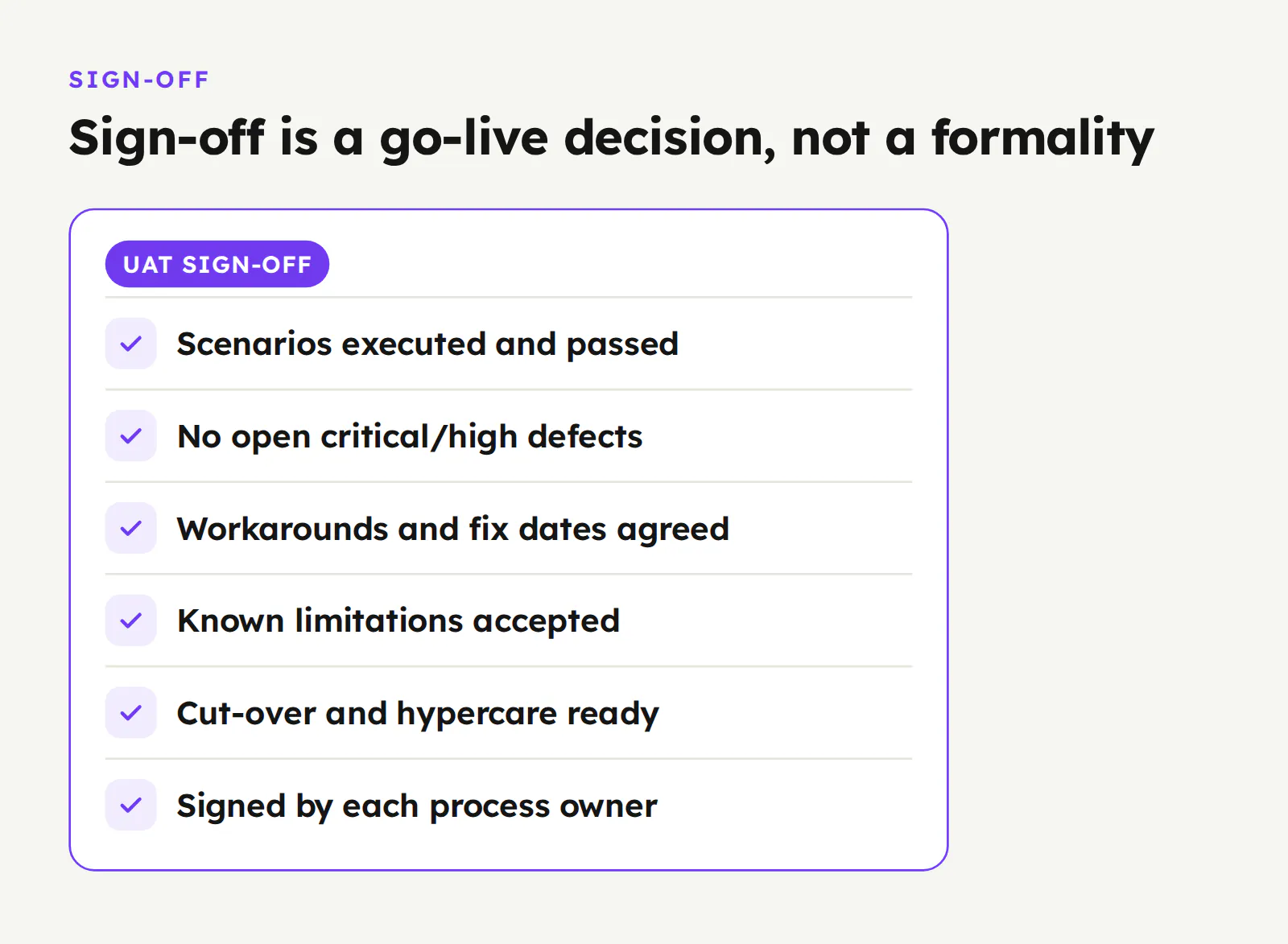
Sign-off is a business decision that the system is fit to go live, not a formality to release a payment. A useful sign-off document is short and includes:
- The scenarios executed, passed and failed, by process.
- Open defects with severity, owner, workaround and fix date.
- Known limitations the business is accepting, in plain words.
- Confirmation that the go-live data, cut-over plan and hypercare support are ready. The implementation checklist covers cut-over and hypercare in detail.
- Signatures from each process owner, not only the project sponsor.
Process owners signing their own area matters. The finance manager is the right person to accept GST and month-end; the warehouse lead is the right person to accept receiving and stock counts. When one sponsor signs for everything, gaps tend to surface after go-live.
SectionCommon UAT mistakes
- Letting the vendor run the tests. You learn what the vendor already knows works.
- Testing screens instead of processes. Hand-offs between sales, warehouse and finance are where problems hide.
- Using dummy data. Real data exposes real issues, including migration errors.
- Skipping the awkward cases. Returns, partial deliveries, currency and approvals catch more defects than the happy path.
- No protected tester time. Testing in spare moments finds very little.
- Mixing defects with new wishes. Without triage, scope creep and disputes follow.
- Accepting AI on a few good examples. Test on volume, including hard cases, and confirm the human step cannot be skipped.
- Signing off to hit a date. A delayed go-live is usually cheaper than a disrupted month-end.
SectionHow UAT fits a custom AI ERP project
On a custom build, UAT does not have to be one big event at the end. When an ERP is delivered in stages, each stage can have its own short acceptance round, so your team tests a working quotation workflow or invoice-matching step while the next part is being built. Problems surface earlier, testers learn the system gradually, and the final UAT round becomes a confirmation rather than a discovery.
That staged approach is how we prefer to run a custom AI ERP for Singapore SMEs: requirements written as testable tasks, AI steps that always stop for human approval on commitments, and acceptance tests your own staff run on your own data. If you already run an ERP and want to add AI to it, the same principles apply; see how to add AI to an existing ERP.
If you are planning an ERP or AI ERP project and want help shaping requirements and an acceptance plan, talk to us.
SectionFAQ
What is UAT in an ERP implementation?
User acceptance testing is the stage where your own staff run real business processes through the new ERP, using realistic data, to confirm it is ready to go live. It comes after the vendor's system and integration testing, and it ends with a sign-off decision by the business.
Who should do ERP user acceptance testing?
The people who will use the system every day: sales coordinators, buyers, storekeepers, accounts staff and their managers. The vendor sets up the environment, trains testers and fixes defects, but should not execute the tests on your behalf.
How long should ERP UAT take?
It depends on the number of processes in scope, the number of exceptions you need to cover and how much time testers can give. Plan for at least two rounds, a first full pass and a regression round after fixes, and schedule it before the go-live date is fixed, not after.
What is the difference between SIT and UAT?
System and integration testing (SIT) is run by the build team to confirm modules and connected systems work together technically. UAT is run by the business to confirm the system supports how you actually work. SIT should be complete before UAT starts.
Should we use real data for UAT?
Use migrated data from your latest data migration rehearsal wherever possible, because it exposes problems that clean dummy data hides and tests the migration at the same time. Mask or restrict personal data in line with the PDPA, and make sure the test environment cannot send emails or e-invoices to outside parties.
How do we test AI features in an ERP?
Run each AI step on a batch of real past cases, including messy ones, rather than a single example. Check that every AI draft leading to a commitment stops for human approval and cannot be bypassed, that the reviewer can see what the AI read and proposed, and that unclear cases are flagged rather than guessed. Agree the acceptance bar with the process owner beforehand.
What happens if UAT finds a lot of defects?
Triage them into defects, change requests and training or data issues. Critical and high-severity defects should be fixed and re-tested before go-live. If many core scenarios fail, it is usually better to move the go-live date than to go live with workarounds across key processes.
Can we go live with open defects?
Usually yes for low and medium-severity issues, if each has a written workaround, an owner and a fix date, and the relevant process owner accepts it. Open critical defects, or any issue that lets someone bypass an approval or corrupts data, should block go-live.
Written by
Lester Law
Building custom software solutions for Singapore businesses. We help companies transform their operations with mobile apps, web platforms, and enterprise systems.