

ERP Implementation Singapore Checklist: A Practical 2026 Guide
Most ERP projects in Singapore do not fail because the software is "wrong". They fail because implementation is treated like a software install instead of an operations change.
If you are planning an ERP implementation in Singapore, this checklist is designed to help you sequence the work properly: what to decide before vendors start, what to lock before development, how to migrate data without chaos, and how to go live without freezing the business for a week.
At SleekDigital, we build custom ERP systems in Singapore for companies that have outgrown spreadsheets, disconnected tools, or rigid off-the-shelf packages. This guide focuses on implementation process, not product marketing. For pricing ranges, pair this with our ERP system cost Singapore 2026 guide. For product-category context, see ERP software Singapore.
SectionWho This Checklist Is For
This is written for:
- SME founders and operations leads replacing fragmented tools
- Finance and ops managers preparing an ERP RFP or vendor shortlist
- Businesses evaluating custom ERP versus packaged platforms
- Teams that already tried an ERP pilot and got stuck mid-rollout
It is especially useful if your business has Singapore-specific realities: GST reporting, multi-entity or multi-branch operations, warehouse and field teams, or approval chains that do not fit a generic template.
SectionThe Real Goal of ERP Implementation
A successful ERP implementation is not "go live on a date".
It is:
- one source of truth for the workflows that matter
- fewer manual handoffs between teams
- reliable reporting without spreadsheet archaeology
- staff who actually use the system daily
If those outcomes are not explicit, the project becomes a feature shopping list. Feature shopping lists almost always overrun.
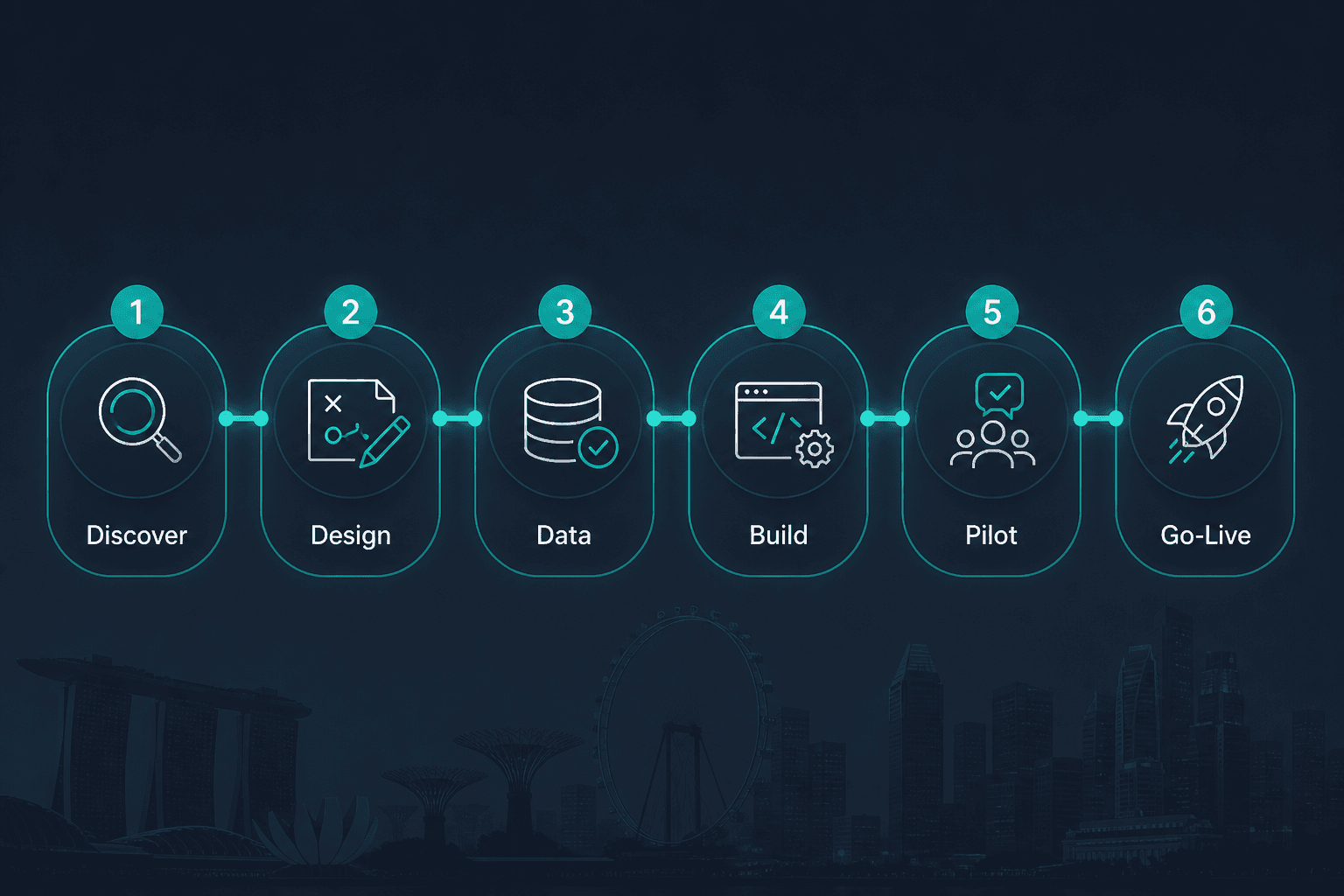
SectionERP Implementation Checklist Overview
Use this as your master sequence. Do not skip early stages because a vendor promises speed.
- Business readiness and ownership
- Process discovery and scope freeze
- Architecture, modules, and integration map
- Data cleanup and migration plan
- Build / configure in phases
- Pilot with real users
- Training, cutover, and hypercare
- Post-go-live optimisation
SectionStage 1: Business Readiness and Ownership
Before any demos, answer these questions in writing.
Assign a single business owner
ERP needs one accountable owner who can make trade-offs. A committee can advise. A committee cannot own cutover decisions.
Recommended ownership model:
- Executive sponsor: budget and priority protection
- Business owner: day-to-day decisions on scope and process
- Department champions: finance, warehouse, sales, HR as relevant
- Technical lead: integrations, environments, security
Define the operational pain in numbers
Vague pain creates vague software.
Better framing:
- stock accuracy is below X%
- month-end close takes X days
- quotation-to-invoice cycle averages X days
- approvals bounce between X people
- leadership still consolidates reports manually every week
If you cannot measure the pain, you will not know whether implementation worked.
Decide what "version one" must achieve
Version one should solve the highest-cost operational bottleneck. Everything else is backlog.
Typical strong version-one targets for Singapore SMEs:
- finance + inventory visibility
- sales order to fulfilment tracking
- procurement and receiving
- project or job costing
- multi-branch stock and transfers
Avoid starting with every department module "because we will need it someday".
SectionStage 2: Process Discovery and Scope Freeze
This is where good ERP implementations are won.
Map the as-is workflow
For each core process, document:
- who starts it
- what systems or files are used today
- what approvals exist
- where delays and exceptions happen
- what reports management needs from it
Do this with the people who do the work, not only managers who describe the work.
Separate rules from habits
Many "must-have" requirements are habits created by bad tools.
Ask for each step:
- Is this required for compliance?
- Is this required for customer service?
- Or is this a workaround from Excel and WhatsApp?
ERP should encode the first two. It should challenge the third.
Freeze scope before build starts
A written scope freeze should include:
- modules in version one
- modules explicitly deferred
- integrations in version one
- user roles
- reporting outputs
- success metrics
- out-of-scope items
If scope is not frozen, every stakeholder meeting becomes a redesign.
SectionStage 3: Architecture, Modules, and Integration Map
Choose the module sequence deliberately
A practical Singapore sequencing pattern:
- Master data (customers, suppliers, SKUs, chart of accounts)
- Core transactional flow (orders, inventory, invoices, jobs)
- Approvals and permissions
- Reporting dashboards
- Secondary modules (HR, CRM depth, advanced planning)
Build an integration map early
Integrations are one of the top reasons ERP timelines slip. List every system that must exchange data:
- accounting platforms
- payroll
- e-commerce / marketplaces
- CRM
- POS
- logistics / courier tools
- bank feeds or payment gateways
- legacy databases
For each integration, define:
- direction of data
- frequency (real-time, hourly, daily)
- master system for each field
- failure handling
- who owns reconciliation
If API work is a major part of your plan, also read our guide on API integration services Singapore.
Security and access model
Singapore businesses often underestimate permission design.
Define early:
- role-based access
- branch or entity restrictions
- approval thresholds
- audit logs for sensitive actions
- mobile vs desktop access needs
This becomes much harder to retrofit after users are live.
SectionStage 4: Data Cleanup and Migration Plan
Bad data will destroy a good ERP launch.
Inventory your data sources
Common sources:
- Excel masters
- old accounting exports
- CRM contacts
- warehouse count sheets
- supplier price lists
- historical invoices and open balances
Clean before you migrate
Minimum cleanup checklist:
- duplicate customers and suppliers removed
- SKU naming standardised
- units of measure consistent
- inactive items archived
- opening balances validated with finance
- open POs / SOs reviewed for relevance
Run migration rehearsals
Do not migrate once on go-live weekend.
Plan at least:
- dry-run migration into staging
- finance and ops validation
- second rehearsal after fixes
- final cutover migration with freeze window
Document who signs off each data domain.
SectionStage 5: Build and Configure in Phases
Whether you buy and configure or build custom ERP, phased delivery reduces risk.
Phase delivery pattern that works
- Phase A: master data + one vertical workflow end-to-end
- Phase B: adjacent workflows and approvals
- Phase C: reporting and secondary integrations
- Phase D: optimisation after real usage
This is the same delivery philosophy we use across custom software development projects: prove value in one operational path before expanding.
Keep change control tight
During build:
- log every change request
- classify as version one / backlog / reject
- estimate impact on timeline and budget
- require business-owner approval for scope adds
Uncontrolled "small changes" are how ERP projects quietly double.
SectionStage 6: Pilot With Real Users
A demo is not a pilot.
Pilot design
Choose:
- one branch or one team
- one complete workflow
- real transactions (or closely mirrored recent transactions)
- a fixed pilot window (usually 2 to 4 weeks)
What to measure in pilot
- task completion time vs old process
- error rate
- missing fields or confusing screens
- report trust from managers
- support ticket themes
If pilots only involve "power users who already like software", you will get false confidence.
SectionStage 7: Training, Cutover, and Hypercare
Training that sticks
Train by role, not by module tour.
Examples:
- warehouse receiving role training
- sales quotation and order entry training
- finance month-end checklist training
- manager approvals and dashboard training
Provide short written SOPs and screen recordings. People forget slide decks.
Cutover checklist
Before go-live:
- final data freeze window communicated
- opening balances signed by finance
- integrations monitored
- support channel staffed
- rollback criteria agreed
- day-one war room schedule set
Hypercare window
Plan 2 to 4 weeks of intensive support after go-live.
During hypercare:
- daily issue triage
- quick UX fixes for blockers
- no major new feature work unless critical
- weekly adoption metrics shared with sponsor
SectionStage 8: Post-Go-Live Optimisation
The first 90 days should focus on adoption quality, not feature expansion.
Review monthly:
- which reports are trusted
- which steps users still bypass with WhatsApp/Excel
- which approvals are bottlenecks
- which integrations throw recurring errors
- which backlog items now have clear ROI
Only then open version two.
SectionTimeline Expectations for Singapore SMEs
These are practical ranges, not promises:
- Focused operations ERP (2 to 4 modules): 8 to 16 weeks
- Multi-department custom ERP: 4 to 7 months
- Complex multi-site / heavy integration ERP: 6 to 12 months
Timelines stretch when:
- data is dirty
- ownership is unclear
- integrations are discovered late
- every exception is treated as a custom rule
For budget planning, use ERP system cost Singapore 2026. For AI-agent layers inside ERP, see AI ERP Singapore or how to add AI to an existing ERP.
SectionCommon ERP Implementation Failures in Singapore
1. Buying software before defining process
Demos feel productive. They are not discovery.
2. Migrating dirty data and hoping for the best
The system will faithfully reproduce your mess at higher speed.
3. Over-customising version one
Customisation is powerful when focused. Unfocused customisation recreates the chaos you are trying to escape.
4. No floor-level champions
If warehouse, sales, or finance staff were never involved, they will route around the system.
5. Treating go-live as the finish line
Go-live is the start of proof. Optimisation is where ROI appears.
SectionEDG and Implementation Planning
For qualifying SMEs, ERP and process digitisation work may fit under the Enterprise Development Grant (EDG) framework. Grant conversations go better when your scope is outcome-based:
- reduce cycle time
- improve stock accuracy
- shorten month-end close
- reduce manual re-entry
If grant eligibility matters, structure your implementation plan around measurable business outcomes, not a shopping list of modules. See also EDG grant software development Singapore.
SectionHow SleekDigital Runs ERP Implementation
Our approach as a software development company in Singapore:
- discovery workshop to freeze version-one outcomes
- process and integration mapping
- phased build around real operational workflows
- staging rehearsals for data and cutover
- role-based training and hypercare
We do not start by asking which ERP brand you prefer. We start by asking which operational bottleneck is costing the most money.
If manufacturing is your primary context, also read manufacturing ERP Singapore.
SectionFAQ: ERP Implementation Singapore
How long does ERP implementation take in Singapore?
A focused SME implementation can land in 2 to 4 months. Multi-department or heavily integrated systems often take 4 to 9 months. The biggest variables are data quality, decision speed, and integration complexity.
Should we customise ERP from day one?
Customise where your process creates competitive advantage or unavoidable compliance needs. Keep version one lean. Defer edge-case customisation until real usage patterns are clear.
Do we need to stop operations during go-live?
Usually no. Most businesses use a short freeze window for opening balances and cutover, then run hypercare while operations continue. The freeze should be planned, communicated, and rehearsed.
What is the biggest risk in ERP projects?
Unclear ownership and unfrozen scope. Technology risk is rarely the top issue for SMEs.
Custom ERP or off-the-shelf for implementation speed?
Packaged tools can be faster if your process is standard. Custom ERP is stronger when workflows, approvals, and integrations are specific. Compare tradeoffs in custom software vs off-the-shelf solutions.
SectionFinal Checklist Before You Sign Anything
Before you commit budget, you should have:
- a named business owner
- version-one outcomes in writing
- deferred scope list
- integration map
- data cleanup plan
- pilot plan
- cutover and hypercare plan
- success metrics
If any of those are missing, you are not ready to implement. You are ready to discover.
Talk to SleekDigital about ERP implementation in Singapore →
Or review our Custom ERP Development Singapore page for modules, approach, and next steps.
Written by
Lester Law
Building custom software solutions for Singapore businesses. We help companies transform their operations with mobile apps, web platforms, and enterprise systems.