
Legacy System Modernisation in Singapore: Rewrite or Replace?
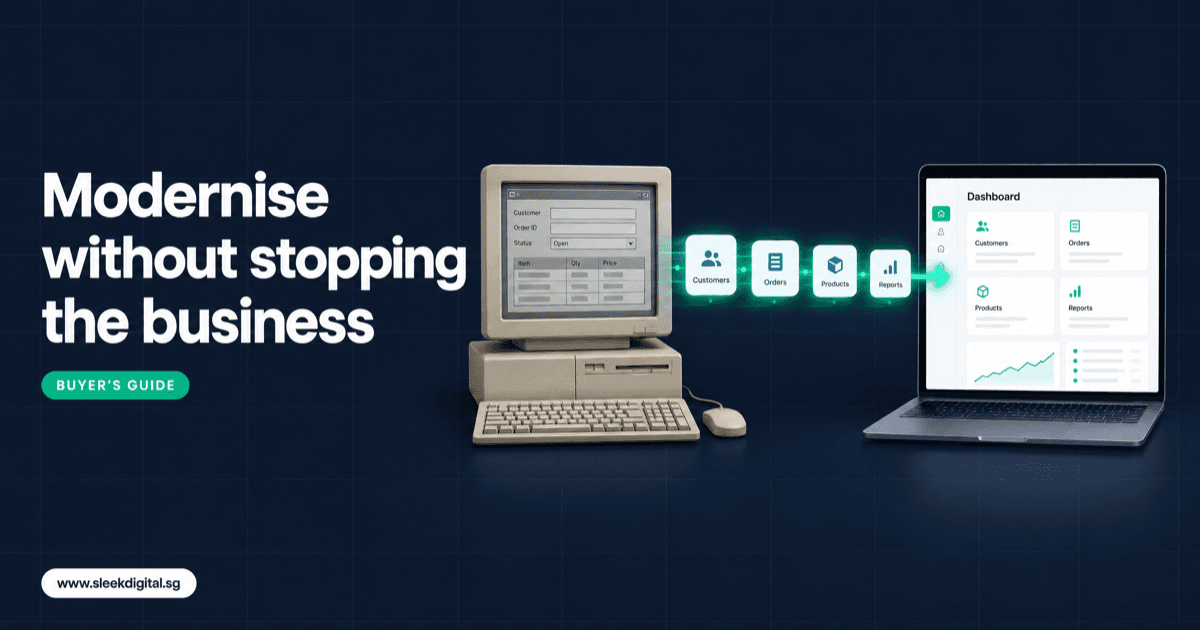
Legacy system modernisation means moving an old in-house system onto a supported platform without losing the business rules buried inside it. For most Singapore SMEs the safest route is not a big-bang rewrite. It is to document what the old system actually does, then replace it one module at a time while it keeps running, with a parallel run and reconciliation reports before each cut-over.
That is the short answer. The rest of this guide is for owners, finance managers and IT heads running a 10 to 20 year old system: a Microsoft Access database on a shared drive, a VB6 or FoxPro desktop app, an old PHP or ASP.NET portal, a stack of Excel macros, or a vendor package that stopped getting updates. Usually the developer who built it left years ago.
If you already know you need help, our legacy software modernisation service covers the scoping and build. If you are still deciding, read on.
SectionSigns it is time to replace old software
Old is not a problem on its own. These are the signs the risk has changed:
- Nobody can change it. A small report tweak takes weeks, or the answer is "we cannot touch that screen."
- It only runs on one PC. The Access file or VB6 app needs a specific machine, an old Office version, or a Windows setup IT is afraid to update.
- Staff work around it. People export to Excel, fix numbers by hand and re-key into Xero or QuickBooks.
- It cannot talk to anything. No API, so every link to accounting, e-invoicing or a portal is a manual export.
- No audit trail. Shared logins, and a database file anyone on the network can copy.
- One person holds the knowledge. When the ops manager who "knows how the system works" goes on leave, month-end slips.
Two or three of these is a planning conversation. Five or more and you are already paying for modernisation, just in staff hours instead of a project budget.
SectionYour five options: wrap, rehost, refactor, rebuild or replace
Most legacy software modernization projects end up as one of five moves. They are not exclusive. A good plan often mixes two.
1. Retain and wrap with APIs. Keep the old system as the record and add a service layer so new apps, portals or AI tools can read and write to it safely. You still own the old core.
2. Rehost (lift and shift). Move the same application from an office server to the cloud with minimal code change. Fixes hardware and backup risk, not the software.
3. Refactor. Keep the core logic but upgrade and restructure the code, for example an old PHP or ASP.NET app moved to a modern framework. Works when the code is understandable and the rules are still right.
4. Rebuild (rewrite). Build a new system from the requirements, using the old one as a reference, not a template. Highest effort, but the only option that fixes the process as well as the technology.
5. Replace with packaged software. Retire the in-house system for an off-the-shelf product or mainstream ERP. Sensible when your process is standard.
Comparison: rewrite vs refactor vs replace
| Option | Risk | Cost | Disruption | When it fits |
|---|---|---|---|---|
| Wrap with APIs | Low | Low | Low | Core is stable, you mainly need integrations or a new front end |
| Rehost | Low to medium | Low | Low to medium | Hardware or hosting is the real problem, the software still works |
| Refactor | Medium | Medium | Medium | Code is readable, rules are still correct, tech stack is the issue |
| Rebuild | Medium to high (lower with a module-by-module approach) | High | Medium if phased, high if big-bang | Process has changed, old system blocks growth, nobody can maintain it |
| Replace with packaged software | Medium | Low to medium upfront, ongoing licences | High at cut-over | Your process is standard and you can adapt to the package |
The rewrite vs refactor question usually comes down to one test: if you sat with the code and the users for a week, would you keep the design? If yes, refactor. If the honest answer is "we would never build it this way today," rebuild.
SectionThe strangler pattern: replace one module at a time
The riskiest approach is a big-bang rewrite: freeze the old system, spend a year building, switch over in one weekend. Requirements drift and cut-over day becomes a crisis.
The strangler pattern is the alternative. You build the new system around the old one and move functions across one at a time:
- Put a layer in front. A new web app or API becomes the entry point. At first it passes requests to the old system.
- Pick the first module. Choose something valuable but contained, such as quotations or job sheets. Not the general ledger.
- Build it new, sync the data. The new module owns its records and keeps the old system updated where other modules still depend on them.
- Run both, compare, switch. When the new module matches the old on real transactions, users move over.
- Repeat until the old core is empty. Then retire it.
The business never stops, and each module is a smaller project you can test, fund and approve on its own. This is how we approach most custom software development work where an old system is still carrying the business.
SectionData migration plan: how to migrate an Access, VB6 or old PHP system
Data is where modernisation projects actually fail. The code is visible. The data has 15 years of shortcuts in it.
A workable plan has five parts:
- Inventory every table. List each table, its row count, its business meaning and who uses it. Access and FoxPro systems often have "copy of" tables that still feed a report.
- Profile and cleanse. Find duplicate customers, dates stored as text, negative stock and orphan records. Decide for each: fix, migrate as is, or archive.
- Map old to new. Every field gets a destination or a documented reason it is being dropped. Status codes ("C", "X", "9") get written meanings.
- Parallel run with reconciliation reports. Run both systems on the same transactions for a set period. Daily reports compare open orders, stock by location, receivables ageing and invoice counts. Every difference gets explained.
- Cut-over weekend. A written runbook: freeze time, final extract, load, validation checks, sign-off by named owners in finance and operations, and a rollback plan if checks fail by an agreed time.
Keep the old database read-only after cut-over. Someone will need a 2014 invoice.
SectionHow AI changes legacy modernisation today
AI changes three parts of the work.
AI-assisted reading of old code
Language models read old forms, stored procedures, macros and SQL well, and produce a draft list of business rules in plain English: "if the customer is on credit hold and the order is above the limit, the save button is disabled," "discount tier 3 applies only to items in category F." A person then checks each rule against the code and with users.
Test cases from historical data
Years of real transactions are the best test cases you will get. AI tools help turn historical inputs and outputs into test scenarios: given this order, the old system produced this invoice total, this stock movement, this commission. The new system has to produce the same result, or someone signs off on why it should not.
Build AI-native, not a like-for-like copy
The bigger shift is what you build. Porting a 2008 data-entry screen gives you the same manual work on a newer stack. An AI-native system is designed so AI drafts the work and people approve it: reading supplier invoices and drafting the entry, matching delivery orders to POs, drafting quotations from emailed RFQs. Staff move from keying to reviewing.
The rule stays the same as any business system: nothing that changes prices, purchasing or customer messages goes out without a named person approving it. The approval design is covered in our human-in-the-loop AI approval guide.
SectionRisks: what the old system knows that nobody wrote down
The three things that hurt most in legacy ERP replacement and old-system rewrites:
- Hidden business rules. Rounding logic, GST handling for specific customers, a pricing exception added for one account in 2011.
- Reports people forgot. The month-end report finance prints, the morning stock report, the commission sheet. Ask for every report exported in the last year, not the ones people remember.
- Integrations nobody documented. A scheduled job that drops a CSV to a bank folder, an ODBC link from an Excel workbook, a nightly website sync. Check every machine the system touches.
Each of these is cheap to find before the project and expensive to find after go-live.
SectionPre-project checklist
Copy this list and work through it before you ask anyone for a quotation:
- List every user group and what they do in the system each day
- Collect every report, export and printout used in the last 12 months
- Locate the source code, database files and any installers
- Record the machines, Windows versions and Office versions it depends on
- List every integration: accounting, bank files, website, e-invoicing, couriers
- Note the known workarounds and side spreadsheets
- Name a business owner who can make decisions on rules and priorities
- Decide which module hurts most and could move first
- Agree how long old data must stay accessible for audit
- Set a budget range and check grant eligibility
If you cannot fill this in yourselves, that is normal. A paid software discovery workshop is built to produce exactly this list, plus a module plan and estimate.
SectionWhat it costs to modernise a legacy system
Cost depends on how many modules, how messy the data is and whether you rebuild or refactor. These are our published scoping ranges, not quotes:
- A focused workflow module (one area moved off the old system, such as quotations or job sheets): from about S$10,000.
- Custom software rebuilds typically land between S$30,000 and S$250,000+, depending on scope.
- A custom ERP replacing a legacy system is usually S$50,000 to S$200,000 over 3 to 6 months, with a focused first version possible in 8 to 10 weeks.
- An AI ERP, where AI drafts entries and documents for approval, runs S$50,000 to S$300,000+.
Phasing with the strangler pattern spreads that cost across modules, so you fund and prove each step. Qualifying SME projects may be up to 50% claimable under the Enterprise Development Grant; Enterprise Singapore decides eligibility. Custom builds usually go through EDG rather than PSG, which is for pre-approved packaged solutions. See our EDG guide for software projects.
Firms with several entities and approval chains should also see our enterprise app development approach.
SectionWhen not to modernise
Sometimes the right answer is to leave it alone, or to buy instead of build:
- It works, it is backed up, and nobody needs changes. A stable system with a tested backup can wait. Rehost it and revisit later.
- Your process is standard. If the old system only does standard sales, purchasing and stock, a packaged product may be enough. Custom is for when your process is the advantage.
- The business is about to change. If you are merging, selling, or exiting a line of business, wait until the new shape is known.
- Nobody can own it. A rebuild needs a business owner who will spend real hours on rules, testing and sign-off.
- You want a copy of the old system. If the brief is "make it look exactly the same but newer," you will pay rebuild prices for refactor value. Either refactor, or redesign properly.
SectionFAQ
How long does legacy system modernisation take in Singapore?
A focused first module moved off the old system can often be live in 8 to 10 weeks. A full replacement of a core operations system is typically 3 to 6 months, phased module by module. Data quality and the number of integrations affect timing more than the code does.
Should we rewrite or refactor our old system?
Refactor if the code is readable, the rules are still correct and the problem is mainly the technology. Rewrite if the process has changed or nobody can maintain the code. Many projects refactor what is sound and rebuild what is not.
Can you migrate a Microsoft Access or VB6 system without the original developer?
Yes, in most cases, if you have the database files and ideally the source code. AI-assisted code reading documents the business rules, and historical transactions become test cases. Without source code, rules are reconstructed from the data and from users.
Is moving on-premise to the cloud enough?
Moving on-premise to cloud fixes hardware, backup and remote access risk. It does not fix missing integrations, manual workarounds or code nobody can change. Treat rehosting as a first step, not the end state.
Can the EDG grant cover legacy software modernisation?
Qualifying SME projects may be up to 50% claimable under the Enterprise Development Grant, and custom modernisation projects usually go through EDG rather than PSG. Eligibility is decided by Enterprise Singapore, so check before you commit to the project.
Will our staff need to stop using the old system during the project?
Not with a phased approach. The old system keeps running while each new module is built, tested in a parallel run and reconciled. Staff move over one module at a time, after the numbers match.
If you want a written scope and quotation for your old system, talk to us, or see how we approach legacy software modernisation for Singapore SMEs and mid-market firms.
Written by
Lester Law
Building custom software solutions for Singapore businesses. We help companies transform their operations with mobile apps, web platforms, and enterprise systems.