
What Is AI-Native Software? A Buyer's Guide for Singapore
AI-native software is software designed so that AI drafts the work inside the workflow and a person approves it. The model reads the document, matches the data and prepares the quotation, bill or order. The screens, data model and audit trail are built around a review queue. "AI bolted on" is the opposite: the old screens stay the same, and a chatbot tab or a Copilot licence sits beside them.
Both kinds of vendor will show you an impressive demo. Only one will still be useful when a stack of supplier invoices arrives in four formats and the model gets two wrong.
This guide is for owners, ops managers, finance managers and IT heads at Singapore SMEs and mid-market firms who now hear "AI-native" in every pitch and want a way to test it. If you are already planning a wider shift across several workflows, our AI-native transformation service explains how we approach it. Read on if you first want to know what to look for.
SectionAI-native software, defined in one workflow
Take one job: an RFQ arrives by email as a PDF.
Traditional software. The sales coordinator opens the PDF, searches the catalogue, types each line, checks the customer's price tier, checks stock, and creates the quotation. The software stores what she types. It does none of the reading.
AI bolted on. Same process, except she can paste the PDF into a chat assistant and ask it to list the items. She copies the answer back and still types every line into the quotation screen. The AI helped her read. It did not touch the record.
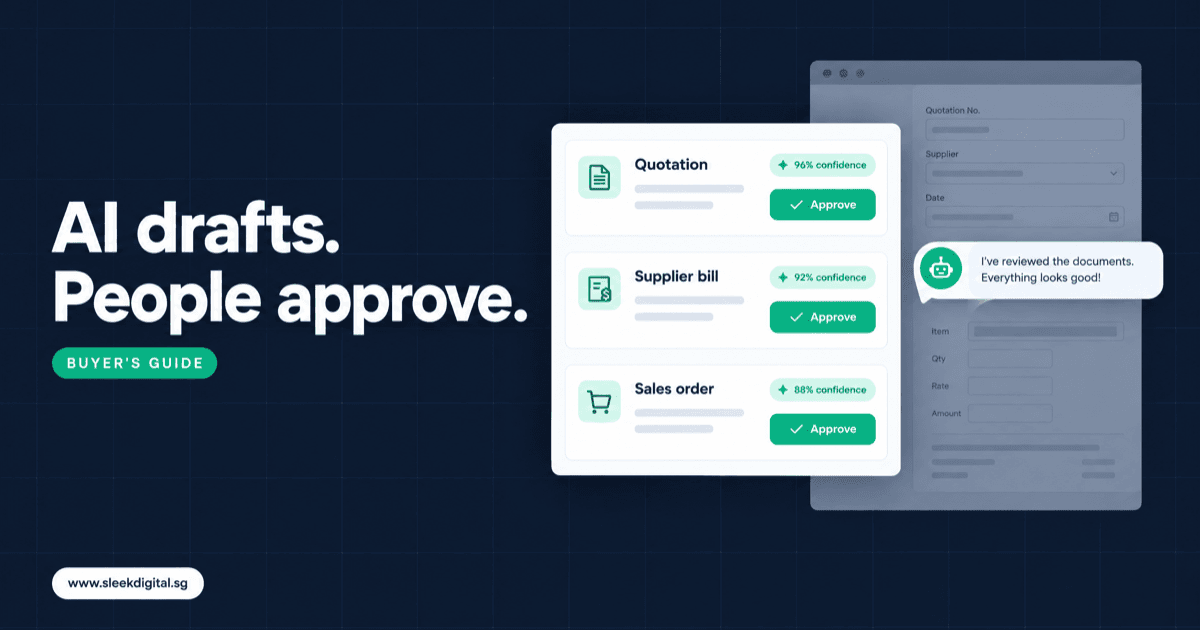
AI-native. The system reads the RFQ when it lands. It matches each line to a SKU, the customer's price tier and available stock, then creates a draft quotation with flags for anything it is unsure about. The draft sits in a review queue. She opens it, sees the source text next to each line, fixes two items, and approves. The system logs what the model proposed and what she changed.
So AI-native software development is less about which model you use and more about three design choices:
- The review queue is the main screen. People spend their day approving and correcting drafts, not keying from scratch.
- Every AI-filled field carries a source and a confidence level. The reviewer can see why the value is there.
- The audit trail records proposal and decision separately. You can always answer "did the AI do this, or did a person?"
The same model could sit behind a bolted-on chatbot or an AI-native workflow. The difference is in the software around it.
SectionAI-native vs AI-enabled: what "bolted on" usually looks like
Much of the software sold as "AI-powered" today is AI-enabled, not AI-native. Common signs:
- A chat panel that answers questions about your data but cannot create or edit a record
- An "Ask AI" button that generates text you then copy into a field
- A per-seat Copilot or assistant licence added to an existing product
- A summary card on a record page
- An extraction feature that posts straight into the ledger with no review step, or produces a file nobody imports
None of these are bad, but they leave the work queue unchanged. In most Singapore operations teams we scope, the bottleneck is not writing. It is reading documents, keying them into a system, checking them against rules, and chasing the exceptions.
The last item is the risky one. Extraction with no approval step is automation without a gate, and the first misread quantity teaches everyone to distrust it. The approval design is covered in our human-in-the-loop approval checklist.
SectionTraditional vs AI bolted on vs AI-native: comparison table
| Dimension | Traditional software | AI bolted on | AI-native software |
|---|---|---|---|
| Who does the first draft | A person, by hand | A person, sometimes helped by a chat assistant | The system drafts, a person approves |
| Main screen | Data entry forms | Same forms plus a chat tab | Review queue with flagged drafts |
| Data model | Final records only | Final records only | Drafts, proposals, sources and decisions stored separately |
| Handling uncertainty | Person decides silently | Model answers confidently, right or wrong | Per-field confidence, low-confidence fields flagged |
| Audit trail | Who saved the record | Who saved the record | What the model proposed, what a person changed, who approved |
| When the AI is wrong | Not applicable | User may not notice | Draft is rejected or corrected, reason is logged |
| Cost visibility | Licence or build cost | Per-seat AI licence | Cost per task (per invoice, per quotation) |
| Improves over time | Only through new releases | Rarely, prompts are generic | Corrections feed rules, aliases and examples |
The middle column is fine for some needs. Just do not pay AI-native prices for it.
SectionArchitecture signals to check in a vendor demo
Demos are scripted. Ask the vendor to run their software on five of your own documents, including one messy one, and look for these signals.
An approval queue, not a chat window
Ask: "Where does a draft wait before it becomes a real record?" You should see a queue with statuses (new, flagged, approved, rejected) and a clear button that commits the record. If the answer is "the user asks the assistant," the AI is bolted on.
Source citations on every field
Click a drafted line. The software should show the exact text or region of the source document the value came from. Without this, review turns into re-doing the work.
Per-field confidence and flags
A good draft says "I matched 11 of 12 lines, line 7 is unmatched." It should not quietly pick the closest SKU. Look for field-level flags such as unmatched item, price below cost, quantity outside normal range, or supplier not on file.
A log of what the model proposed vs what a person changed
Ask to see the history of an approved record. You want the original proposal, each human edit and the approver's name. This is what lets you measure accuracy honestly and answer an auditor.
A fallback when the model is wrong or down
Ask: "What happens if the model is unavailable, or returns garbage?" The right answer is that the document drops into the manual queue with a clear status, and nothing posts. Work should slow down, not stop or go wrong.
Cost per task
Ask what one processed invoice or drafted quotation costs in model usage, and where that is logged. If nobody can answer, costs will surprise you at volume.
Limits on what the AI may do
Ask which actions are draft-only. In an AI-native system, the model should not send customer messages, change prices, approve purchases or edit bank details on its own. Those permissions should be written down, not implied.
SectionExamples of software with AI built in, by workflow
AI-native design pays off most where someone reads a document and creates a record under rules.
RFQ to quotation
The system reads RFQs from email, PDF or spreadsheet, matches lines to your catalogue and customer price tier, checks available stock, and drafts the quotation. Unmatched or below-margin lines are flagged. The salesperson edits and sends. See quotation automation for how we scope this module.
Supplier invoice to bill
The system reads the supplier invoice, finds the matching purchase order and goods receipt, and drafts the bill in Xero, QuickBooks, SAP Business One or your own system. Price or quantity differences are flagged for the finance team rather than posted. Changes to supplier bank details are never accepted from an invoice. More on this in invoice processing automation.
PO email to sales order
Customers send purchase orders as attachments, email bodies or portal exports. The system drafts the sales order with customer account, delivery address, lines and requested dates, and flags credit holds or stock shortfalls. Customer service approves before anything is confirmed. See sales order automation.
Delivery exceptions
Drivers report short deliveries, damaged goods or refused drops through notes and photos. The system reads the proof of delivery, classifies the exception, and drafts the follow-up: a credit note, a redelivery job or a customer message. Nothing goes to the customer unapproved.
SectionAI-native ERP vs ERP with an AI module
The same test applies to ERP. An AI-native ERP is designed so that quotations, orders, bills and stock adjustments can start life as drafts from documents, with approval queues and proposal logs built into the core data model. An ERP with an AI module keeps its old entry screens and adds an assistant on top.
You do not always need a new ERP to get AI-native workflows. If your ledger and stock records are reliable, wrapping the existing system with supervised AI agents is often faster and cheaper. If your current system is already the problem, an AI ERP built around drafts and approvals is worth scoping.
SectionQuestions to ask a vendor (copy this checklist)
- Can you run the demo on our documents, including a bad scan?
- Where do drafts wait, and who can approve them?
- For any field, can I see the source text it came from?
- How do you flag low-confidence or unmatched values?
- Can I see what the model proposed vs what the user changed, per record?
- What happens when the model is down or wrong? Does anything post automatically?
- Which actions can the AI never take without approval?
- What does one task cost in model usage, and where is that logged?
- Where is our data processed and stored, and is it used to train anyone's model?
- Who owns the code, prompts and configuration if we part ways?
If a vendor struggles with more than two or three of these, you are probably looking at AI bolted on.
SectionWhat it costs
These are our published scoping ranges, not quotes. Your scope decides where you land.
- A focused workflow module (for example, supplier invoice to bill) typically starts from about S$10,000.
- AI development work, such as a first AI agent on an existing system, is usually S$30,000 to S$150,000+. A first agent is typically live in 8 to 12 weeks.
- Broader custom software development is mostly S$30,000 to S$250,000+.
- An AI ERP is typically S$50,000 to S$300,000+.
Qualifying Singapore SMEs may be able to claim up to 50% of eligible costs under the Enterprise Development Grant. Eligibility is decided by Enterprise Singapore, not by us or any vendor. PSG covers pre-approved packaged solutions, so EDG is the usual route for custom work.
Ask any vendor to separate build cost from running cost (hosting, model usage, support). AI-native software has an ongoing per-task cost.
SectionWhen AI-native is overkill
Honest answer: often.
- Low volume. If you process 20 supplier invoices a month, a person is faster and cheaper than any build.
- Clean, structured input. If orders already arrive through an EDI feed or a portal with fixed fields, you need an integration, not a model.
- Off-the-shelf already does it. Accounting packages and their app marketplaces now handle common bill capture well. If it fits your process, use it.
- No owner for review. AI-native software needs a named person to approve drafts. If nobody will own the queue, it will fill up and be ignored.
- Unreliable master data. If your catalogue, price tiers or supplier list live in three conflicting spreadsheets, fix that first. The model will only reproduce the mess faster.
We cover the trade-offs in more depth in AI build vs buy for Singapore firms.
SectionBecoming an AI-native company in Singapore: start with one workflow
Firms that get value from this do not start with "AI everywhere." They pick one high-volume, document-heavy workflow with a clear approver, prove it on real documents, and expand once the team trusts the queue.
A sensible first step is to list your three most painful keying jobs, count the volume, and name who approves each today. That list is the start of an AI-native transformation roadmap.
SectionFAQ
Is AI-native software the same as using ChatGPT or Copilot at work?
No. ChatGPT and Copilot are general assistants that help individuals read and write. AI-native software builds the AI into a specific business workflow, so it creates draft records in your systems and routes them to a named approver. You can use both, but they solve different problems.
Does AI-native mean the AI makes decisions on its own?
Not in the way we build it. The AI drafts quotations, bills and orders, and a person approves before anything is sent, posted or changed. Prices, purchasing and customer messages stay under human control.
Do we need to replace our ERP to become AI-native?
Usually not. If your ERP or accounting system holds reliable data, AI-native workflows can sit on top and write approved drafts into it. Replace it only when the system itself is the bottleneck.
How long does a first AI-native workflow take?
A first supervised agent is typically live in 8 to 12 weeks, depending on integrations and how clean your master data is. Most of that time goes into matching rules, the review screen and testing on real documents, not into the model.
How do we know if a vendor is really AI-native?
Ask them to process your own messy documents live, then show the review queue, field-level sources, confidence flags and the log of proposed versus changed values. If those are missing, the AI is bolted on.
If you want a written scope and quotation for one workflow, talk to us. To see how we plan a wider rollout, start with AI-native transformation in Singapore.
Written by
Lester Law
Building custom software solutions for Singapore businesses. We help companies transform their operations with mobile apps, web platforms, and enterprise systems.