
AI Invoice Processing in Singapore: A Finance Manager's Guide
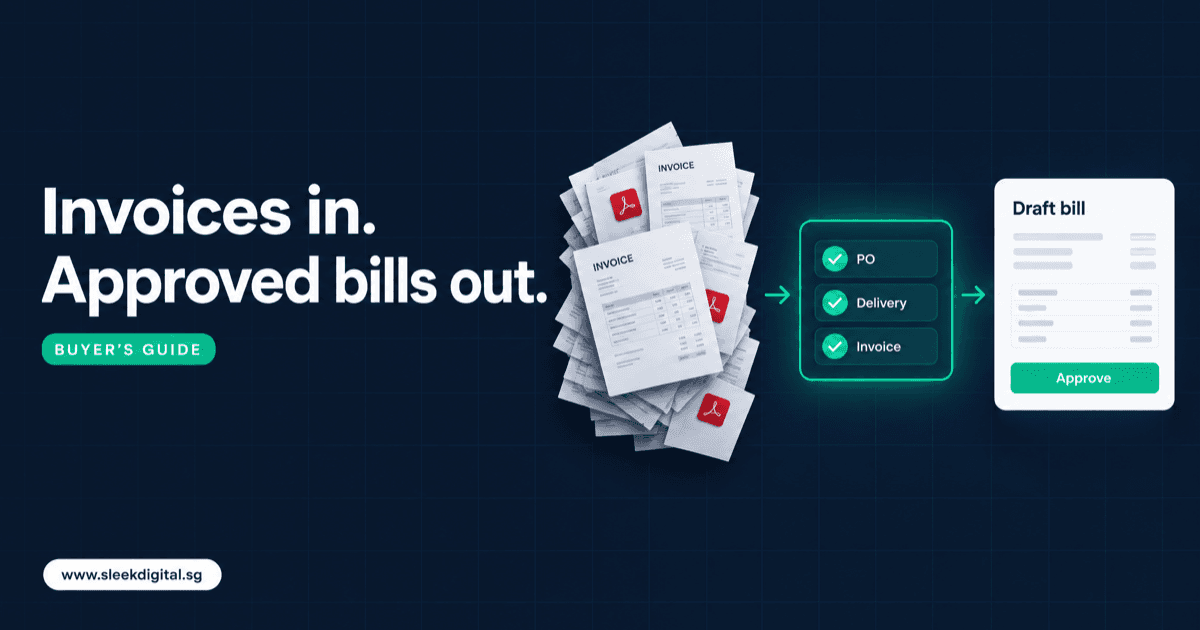
AI invoice processing reads supplier invoices (PDF, scan, email or InvoiceNow), extracts the header and line items, matches them to your purchase order and goods received, suggests the GL account and GST tax code, and drafts a bill in Xero, QuickBooks or SAP Business One for a person to approve. Done well, your AP team stops retyping and reviews exceptions instead.
This guide is for finance managers deciding between a packaged AP tool and a custom layer on top of the ledger they already run. If you already know you want a scoped build, the service page is invoice processing automation. Read on if you are still deciding.
SectionThe accounts payable flow, step by step
Most Singapore SMEs and mid-market firms run some version of this:
- Receive. Supplier invoices arrive in a shared AP inbox, as PDFs attached to statements, as photos from site staff, as paper scanned at reception, and increasingly as InvoiceNow e-invoices.
- Extract. Someone reads the supplier name, invoice number, date, currency, line items, GST amount and total, then types them into the accounting system.
- Match. For stock and project purchases, the invoice is checked against the purchase order and the goods received note (GRN) or delivery order. Services are often matched to a contract or simply approved by the requester.
- Code. Each line gets a GL account, cost centre or project, and a GST tax code.
- Approve. The bill goes to the budget owner, then to finance, with thresholds for amounts above a set limit.
- Post. The approved bill lands in Xero, QuickBooks, SAP Business One or a custom ERP.
- Pay. Bills are batched into a payment run, usually weekly or fortnightly, and released through the bank.
Steps 2 to 4 are where the hours go. Step 7 is where the money leaves. A good AI invoice processing setup automates the first and protects the second.
SectionOCR templates vs LLM-based invoice extraction
Template OCR
Classic invoice OCR converts the image to text, then uses a template per supplier: "the invoice number is in this box, the total is in that box." It is fast and predictable for stable layouts. But every new supplier needs a template, templates break quietly when a supplier changes billing software, and multi-page line items are a common failure point.
LLM-based extraction
Large language models (often combined with OCR for scanned images) read the invoice more like a person does. They can find "Tax Invoice No." on a layout they have never seen, pull line items from a table that spills over two pages, and tell a delivery charge from a product line.
That flexibility is real, and it is why most new supplier invoice automation uses LLMs. But an LLM can also produce a plausible wrong answer. So the extraction step needs guardrails:
- Validation rules. Line totals must add up to the subtotal. Subtotal plus GST must equal the invoice total. GST should be consistent with the supplier's registration status and the current rate.
- Confidence thresholds. Each extracted field carries a confidence score. Below the threshold, the field is flagged for a person, not guessed.
- Supplier master checks. The extracted supplier must match an existing supplier record, including UEN or GST registration number where printed.
- Human review on exceptions. Clean invoices that pass every rule go to approval. Anything that fails a rule goes to an exception queue with the reason shown.
In our scoping work, the rules and the exception screen take more design effort than the model call. The model reads; the rules decide whether to trust it.
SectionWhere InvoiceNow fits
InvoiceNow is Singapore's nationwide e-invoicing network, built on the international Peppol standard and run under IMDA. Instead of a PDF, the supplier sends a structured e-invoice that your accounting system can receive directly, with fields already labelled.
IRAS is phasing in InvoiceNow requirements for GST-registered businesses, starting with businesses newly registering for GST and widening over time. The scope and dates have moved before, so check IRAS for the current timeline and whether your company is in scope.
What this means for AP automation:
- Structured e-invoices reduce the need for extraction. If a supplier sends via InvoiceNow, there is nothing to read. The data still needs matching, coding and approval.
- Most SMEs still receive PDFs from many suppliers. Overseas vendors, small local suppliers, utilities and contractors will keep emailing PDFs for a long time.
- You need both paths into the same queue. InvoiceNow invoices and extracted PDF invoices should land in one review flow with the same matching, duplicate checks and approval rules.
SectionThree-way matching and GL coding
Extraction gets you clean data. Matching is what makes it safe to approve.
Two-way matching compares the invoice to the purchase order: same supplier, same items, prices within tolerance.
Three-way matching adds the goods received note: you are only paying for what actually arrived. This matters for distributors, manufacturers and construction firms where partial deliveries and short shipments are common.
A practical matching design includes:
- Price and quantity tolerances set by finance (for example, a small rounding allowance on price, zero tolerance on quantity above what was received)
- Partial invoicing against a PO that is delivered in stages
- A clear exception when an invoice has no PO at all, routed to the requester to confirm
- Freight, surcharges and credit notes handled as their own line types
If your purchase orders and GRNs are themselves inconsistent, fix that upstream. Our procurement automation work often starts there, because three-way matching is only as good as the PO and receiving data behind it.
GL and GST coding is where AI helps quietly. The system can suggest the GL account, cost centre and tax code from the supplier's history and the line description, for example standard-rated purchases versus disallowed input tax or a supplier who is not GST-registered. The AP officer confirms or corrects. Over a few months, corrections become rules, and the suggestion rate improves.
SectionException handling, duplicates and bank detail fraud
The costly AP mistakes are paying an invoice twice, or paying into the wrong bank account.
Duplicate detection
Check at least:
- Same supplier and same invoice number (after stripping spaces, dashes and leading zeros)
- Same supplier, same amount, invoice dates close together
- The same PDF file received twice, by email and again in a statement
- An invoice already received through InvoiceNow arriving again as a PDF
Duplicates should block approval, not just show a warning icon.
Supplier bank detail changes
Business email compromise is a well-known risk: an email that looks like it is from a supplier says "we have changed banks, please pay this account." A sensible AP design:
- Never lets the AI read or update supplier bank details from an invoice or email
- Flags any invoice where the printed bank account differs from the supplier master
- Requires bank detail changes to be verified by phone, using a number already on file, and approved by a second person
- Holds the first payment to a changed account for review
Audit trail
Every bill should show the source file, what was extracted, what was changed by whom, which rules passed or failed, who approved, and when it posted. Your auditors will ask.
The approval design follows the human-in-the-loop AI approval checklist: the AI drafts, a named person approves, and nothing posts or pays without that approval. Invoice processing is a good first workflow because a wrong draft is recoverable; once trusted, the same supervised pattern extends to statement reconciliation and expense claims, which is how we build AI agents in Singapore.
SectionComparing your options
| Manual entry | OCR tool | Packaged AP SaaS | Custom AI layer on your ERP | |
|---|---|---|---|---|
| How invoices are read | People type | Templates per supplier | Built-in extraction, often LLM-assisted | LLM extraction plus your own validation rules |
| Handles varied layouts | Yes, slowly | Poorly without new templates | Usually well | Well, tuned to your suppliers |
| PO and GRN matching | Manual | Rarely | Often, if POs live in the tool or a supported ledger | Against your actual PO and receiving data, wherever it lives |
| GL and GST coding | Manual | Manual | Suggestions from history | Suggestions plus your own rules |
| Ledger fit | Any | Export files | Best with Xero, QuickBooks and popular platforms | Xero, QuickBooks, SAP Business One or a custom ERP |
| Fraud and duplicate checks | Depends on people | Basic | Standard checks | Your rules, your thresholds |
| Typical cost shape | Staff time | Low subscription | Per-user or per-invoice subscription | One-off build plus running costs |
| Best for | Very low volume | Few, stable suppliers | Standard AP on a mainstream ledger | Complex matching, custom ERP, multi-entity |
SectionWhen packaged AP software is enough
Packaged AP software is usually enough when:
- Volume is low to moderate (a few hundred invoices a month or fewer)
- Invoices are mostly standard, with few POs and simple approval chains
- You run on Xero or QuickBooks only, with one entity
- You do not need three-way matching against warehouse receiving data
- Your approval rules fit the tool's settings without workarounds
If that is you, buy a subscription, set it up properly, and spend your budget elsewhere. Some of these tools are listed as PSG pre-approved solutions, so check before you buy.
Custom starts to make sense when:
- POs and GRNs live in SAP Business One, a custom ERP or an operations system the AP tool cannot see
- You have multiple entities, currencies or approval matrices
- Matching rules are specific to your trade (cut lengths, weights, progress claims, rebates)
- Invoice processing is one part of a wider flow, such as procurement to payment, that you want designed as one system
For the integration side, see our guide to accounting software integration in Singapore. If SAP Business One is the ledger, the connection pattern is covered on SAP Business One integration.
SectionWhat it costs
These are scoping ranges, not quotes:
- A focused workflow module, such as invoice extraction and matching posting to one ledger, typically starts from about S$10,000.
- A broader AI layer with matching, exception queues, approval routing and audit trail usually falls within AI development at S$30,000 to S$150,000+, depending on ledgers, entities and integration depth.
- A first supervised AI agent is typically live in 8 to 12 weeks.
Running costs (model usage, hosting, support) scale with volume. Qualifying SME projects may be up to 50% claimable under the Enterprise Development Grant; eligibility is decided by Enterprise Singapore. Our EDG guide for software projects explains how that usually works for custom builds.
SectionData handling and PDPA
Invoices from sole proprietors and individual contractors can contain personal data and bank details. Before sending them to a hosted model, decide what is stripped, how long files are kept, and whether the provider retains prompts. Our PDPA checklist for LLM features covers the questions to settle early.
SectionPilot checklist: test on 100 past invoices
Do not judge a vendor or a build on a demo with clean sample files. Run a pilot on your own history.
- Pull 100 invoices already processed and paid, from at least 20 different suppliers
- Include scans, photos, multi-page invoices, credit notes and foreign-currency invoices
- Include at least five InvoiceNow e-invoices if you receive any
- Plant at least three known duplicates and one invoice with changed bank details
- Include invoices with partial deliveries and price variances against the PO
- Record the correct answer for each: header fields, line items, GL, tax code, match result
- Score each result as correct, corrected by a person, or dangerous (wrong and not flagged)
- Confirm every "dangerous" result has a fix in rules, thresholds or data, not just in the prompt
- Check the audit trail shows source, changes, approver and posting time for each bill
- Confirm nothing posts to the ledger or the bank without a named approver
The dangerous column matters most. Too many flags is slow; a silently wrong total is unsafe.
SectionFAQ
Can AI fully automate accounts payable without human review?
It should not, at least not for posting and payment. AI can extract, match and code most clean invoices, but a named person should approve bills and every payment run. Fully autonomous posting removes the control that catches duplicates, fraud and coding errors.
Do we still need invoice OCR if we adopt InvoiceNow?
Yes, for now. InvoiceNow removes extraction for suppliers who send structured e-invoices, but most SMEs still receive PDFs from many suppliers, especially overseas and small vendors. You need one queue that handles both.
Does AI invoice processing work with Xero?
Yes. Xero bill automation is a common setup: the system extracts and checks the invoice, then creates a draft bill in Xero for approval. Similar patterns work with QuickBooks, SAP Business One and custom ERPs through their APIs.
How accurate is LLM-based invoice extraction?
It depends on your invoice mix, so measure it on your own documents rather than trusting a vendor figure. Run the 100-invoice pilot above and count dangerous errors, not just overall accuracy. Validation rules and confidence thresholds matter as much as the model.
How long does a custom AP automation build take?
A first supervised workflow is typically live in 8 to 12 weeks, depending on how many ledgers and entities are involved and how clean your PO and supplier data is. Starting with one entity and one ledger shortens that.
If you want a written scope and quotation for your accounts payable flow, talk to us. You can also see what we build on the invoice processing automation page.
Written by
Lester Law
Building custom software solutions for Singapore businesses. We help companies transform their operations with mobile apps, web platforms, and enterprise systems.